Tuesday, July 5, 2011

If you can't shoot it The iPhone can create it! FlowPaper~and Fireworks

Final Image: Fireworks

I made it to the beach late Sunday night, and got a good nights rest. The 4th of July was a pretty day, hot and sunny, but a storm threatened and by 6:30pm it was lightening and thundering so hard it rattled the windows. The fireworks were rained out. So I watched some on TV and played with some apps on the iPhone. I learned about the app FlowPaper, from a photographer on iPhoneart.com. FlowPaper  is a low resolution app, but fun: Like Etch-a-Sketch on steroids! and who didn't like Etch~a~Sketch! I enjoyed the result so much I wanted to share the process.
Open FlowPaper: Choose black background and line options then draw on iPhone screen~save


Open image in LensLight: Add stars and bursts and blue edge burn at bottom of image~save


Open image in AutoPainter ll and choose Felt Tip with selective masking~ save

Blend AutoPainterll with original image in Iris and adjust opacity to taste~save

Add white border in Crop'n'Frame~ save then open the image in King Camera and add black border.

That's it maybe they will reschedule the show for tonight and I can get some real images!

Monday, July 4, 2011

Klots Silk Mill and the iPhone~Generations apart~MonoPhix App


Bracket Mode: TrueHDR; MonoPhix B&W Conversion

How ironic to be creating images inside the old Klots Throwing Mill in Lonaconing, MD with the iPhone. That thought came to me as I was titling this blog. Built over 100 years ago, when the beginning of modern industry was in full swing on the heels of the industrial revolution, which was reportedly begun with a silk mill in England in 1721. Now we are in the tech revolution! I was wondering why capturing images today, of the past is so interesting to me; I thought, maybe its the mystery of what life was like then or how the people's lives unfolded that passed through the mill, or maybe its the desire to record the scenes before they are gone? I don't know for sure, but it always interesting to make images there; personal effects and machinery remain in tact.
Many of the images I made there beg to be converted into B&W. There is a soft strange green light in the place created by the foliage surrounding the story high mill windows.These are a few from last weeks shoot there....
BarcketMode:TrueHDR:MonoPhix for B&W Conversion
MonoPhix:Vintage Scene
MonoPhix conversion to B&W with glow added in PhotoStudio
Hipstamatic Shot Toned in MonoPhix

Wednesday, June 29, 2011

Iris: Color Sense


Iris Color Sense is probably a little used option in the Iris PhotoSuite App but it can be just what an image needs. To access this option open the app and tap on the FX on the left side of the home screen. Once the next screen opens, on the right side of that screen is  Color Sense. Tap on that and the Color Sense sliders appear. Here you can replace colors in your image using the two sliders.
Original Processed Image Prior to Color Sense

Color Sense Options Choosing threshold deviations applies more or less of the color adjustment


You pick the color you want to replace with the top slider and the replacement color with the bottom slider. The images here are representative of that process. While I liked the abstract of the Bamboo leaves as I had painted them in PhotoForge, I wanted a more abstract representation and landed on the opening image as a final choice.
Original Image File Before Color Sense application


Tuesday, June 28, 2011

PhotoStudio/PhotoWizard/Original PhotoForge/BadCamera/SuperImpose


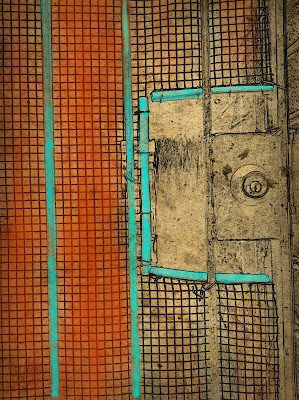
Yesterday while cleaning up my camera roll, I came across an image I made months ago while conducting a photo workshop in Fells Point. Sometimes I use the iPhone to frame up a shot for a workshop participant. This shot was one I made that day, it interested me for the texture, graphics and the creativity the homeowner used when securing the breezeway.Yesterday I decided I wanted to limit myself to using a couple apps on the image, as I often do that to explore every option an app might have. While PhotoStudio and PhotoWizard are not new apps, they have had updates and I wanted to revisit them.
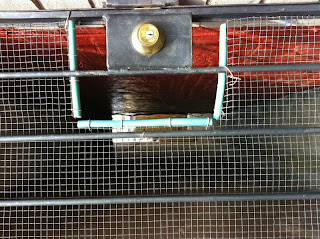
Original File
So I started with PhotoStudio and applied the PencilPaint filter and adjusted the sliders and got the effect below. I  liked it because the filter distilled the essence of what I liked the graphic quality of the scene. But I didn't like that the color was stripped away...so ....I opened this image in the original PhotoForge and painted in some color. There are many painting apps but I like this version as it has a color picker and brush size selection and an opacity adjustment as well as a zoom and move feature so you can toggle between painting and zooming in and out for detail work. (I am sure there are other apps with these features but this is one I like)
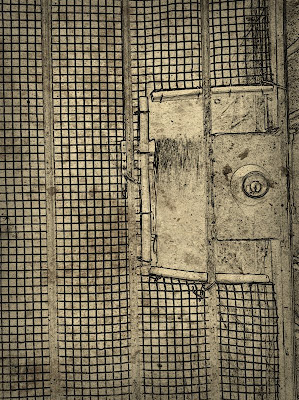
PhotoStudio PencilPaint File
"Original PhotoForge" Painted File


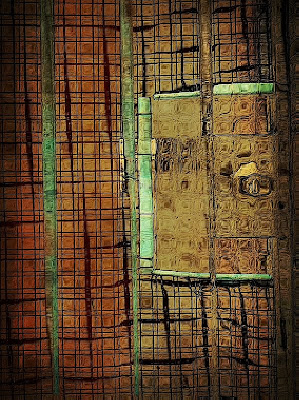
I liked the original turquoise of the tubing the owner had placed around the edge of the wire so I picked a turquoise color brush and opacity I liked to paint back in the color where I wanted it. I also painted in some brick color for interest and contrast. I liked the result so I saved the file. I then said WHAT IF as I usually do and ran the colored image into BadCamera, and added a vignette effect and some grunge. I then saved the file. I liked the image as it is but I one again said what it...and opened the image in PhotoWizard. I found the filter there called bathroom glass which added a bit of interest to me.
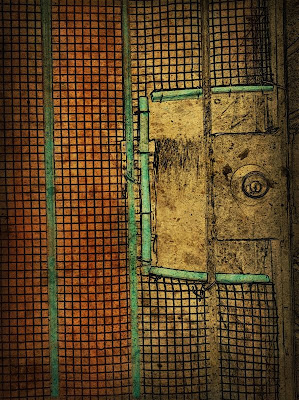
BadCamera filtered File
PhotoWizard BathroomGlass File

I loved the distortion effect the bathroom glass filter created after I adjusted the sliders a bit, so I stopped there and said that's it. I applied a sharpening filter and saved the file.
I finished the image with a frame from Crop'n'Frame and Impression for my signature. It was my intent to work this image in just one or two apps....but my mind wandered....and that's how it is when processing images on the iPhone with all the fun apps available.
And while I was working on this image I learned about a new app SuperImpose...so I played a bit more, but settled on the opening image. I will be exploring SuperImpose more, it looks like a Fabulous App for Blending, Masking , selective coloring...
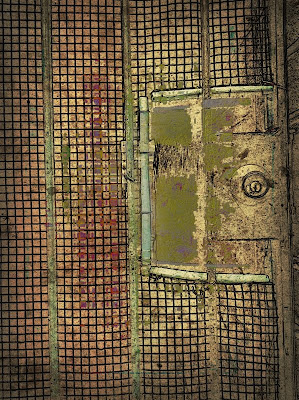
SuperImpose version.


Monday, June 27, 2011

Increase your Visual Awareness by Improving your Mood!


Processed File

Original Capture
   I was thinking about how the iPhone apps, really give the photographer a chance to "inject" a mood into their image: Not that we don't already try to create an image with a mood, by choosing the color, the light, time of day and the subject, but what the iPhone apps add to those elements.  While doing an internet search today on "mood" I discovered research that was done on the subject of how "mood" impacts the visual cortex in the brain. The article appears on Physorg.com. The important finding here for a photographer is found in the conclusion of their research.

"Under positive moods, people may process a greater number of objects in their environment, which sounds like a good thing, but it also can result in distraction," says Taylor Schmitz, a graduate student of Anderson's and lead author of the study. "Good moods enhance the literal size of the window through which we see the world. The upside of this is that we can see things from a more global, or integrative perspective. The downside is that this can lead to distraction on critical tasks that require narrow focus, such as operating dangerous machinery or airport screening of passenger baggage. Bad moods, on the other hand, may keep us more narrowly focused, preventing us from integrating information outside of our direct attentional focus." 
Processed File

Original Capture

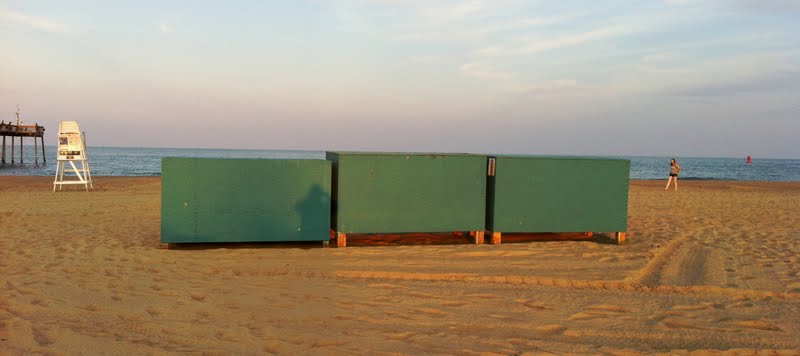
All research can be interpreted in many ways, but this makes sense to me. A positive mood allows us to see more in our environment and thus provide us a view of many more subjects and scenes to create images, the downfall might be keeping focus! An uplifted mood can open our eyes! I shot these images while I was in a good mood...on the beach enjoying a late afternoon walk and in a coffee shop enjoying a great cup of coffee before a photo presentation. I was not rushed, I had given myself plenty of travel time, prep time I knew my subject matter, so I was in a good mood... ; - )
These two images are images that I injected a "mood" into by using different apps and texture overlays. The interesting thing is the "mood" I gave both of them? Hmm..have to think about that! Have a great day and be in good mood to open your eyes for potential images.

Saturday, June 25, 2011

Longwood Gardens: Water Lilies

Apps: Hipstamatic: Iris:Grungetastic: ArtistaOil: TouchRetouch: PerfectPhoto: Crop'n'Frame: Impression
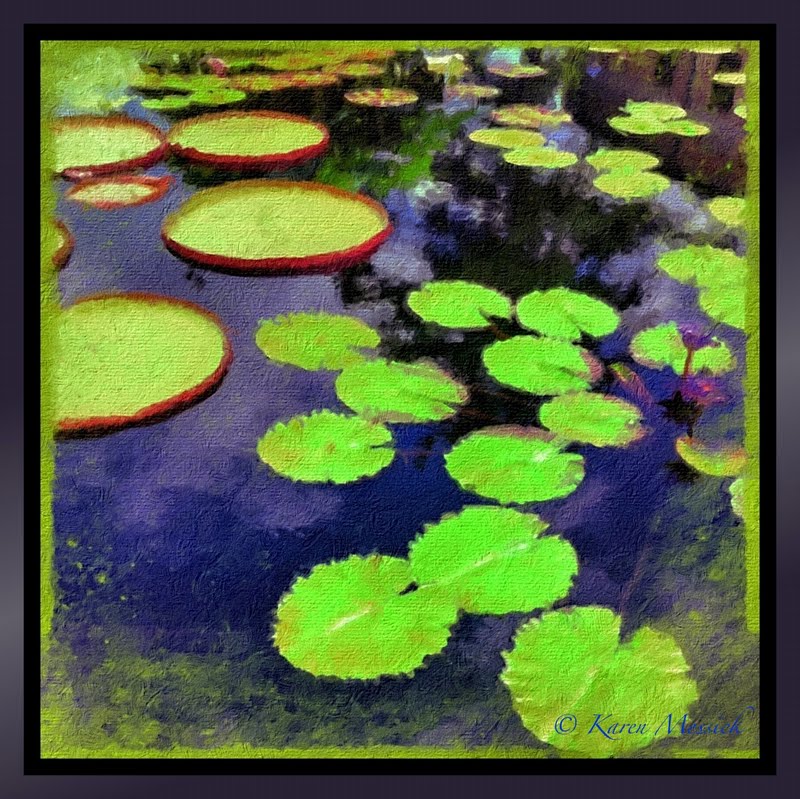
 This week I had two requests for personal tutoring on the iPhone! I was excited because this is a fun new technology with a great opportunity to make some very cool images and I was really happy that folks are beginning to embrace it. Working one on one is my favorite while I really enjoy workshops, having time to explore the many challenges of the iPhone art and its processes takes some time which personal tutoring really allows. The abundance of Apps can be a bit daunting, but I like to start with the basics of operating the iPhone itself, from downloading new apps, checking file size, organizing apps, and work flow. Once those are well understood, I like to move on to more creative choices. I had a great time working with my clients and hope they keep at it! The opening image is one that I used to demonstrate a simple process from shooting to basic image adjustments in Iris to artistic rendering in ArtistaOil, then finishing the image in Crop'n'Frame and finally applying a custom signature. If you would like some iPhone image tutoring please don't hesitate to e-mail me at: Karenmessick@aol.com
Oh and its Water Lily time at Longwood. They really are so beautiful, but the flowers are pretty far out in the pond requiring a telephoto lens...but that will be on my "Big Girl Camera" blog later on, as I did get a couple hours to shoot in the morning with my 300 2.8, before I began the iPhone session.
Apps: Hipstamatic: Iris: Grungetastic: PerfectPhoto: Crop'n'Frame: Impression

Apps: Hipstamatic: Iris: PerfectPhoto: Crop'nFrame: Impression


Image ~ Bamboo Swipe : Apps: SlowShutter: Iris:Crop'N'Frame:Impression

Friday, June 24, 2011

Macro Night at The Baltimore Camera Club:Apps Hipstamatic: MonoPhx:Grungetastic:AutoPainter:Crop'n'Frame


Last night I attended the Baltimore Camera Club Macro Night meeting. It is always a fun meeting where members bring in lots of different items of a macro nature and lights  for folks to photograph. I stopped and bought some flowers for the tables for people to shoot. I made a few iPhone shots demonstrating apps and processes for interested members. Today I started working some of those images and came up with a few I liked. The set up is a white background, table or cloth shooting down on a vase of flower. Shoot with the Hipstamatic, HelgaViking loaded with Kodot XGrizzled film. Run the shot into MonoPhix and apply the reverse process then save. Take that image into Grungetastic and play with grunge colors, filters and frames to get a look you like then save. Run that image through AutoPainter Benson and save. Take the AutoPainter image and blend in Iris with the Original Grungetastic file at about 55% opacity in Multiply mode, adjust histogram to bring up the whites and save file. Take into crop'n'frame and apply a border.
I played with two images and different color choices in Grungetastic..here are the results.