Showing posts with label Impression. Show all posts

Tuesday, February 21, 2017

Catching up!

APPS: Capture: Canera+: Processed: Snapseed Signature: Impression

It is going to be a great year in iPhone Photography! My two classes at Johns Hopkins are booked full and my iPhone workshops at Capital Photography Center are booking fast! In addition to the "Getting Started" sessions, we have added two iPhone Photography walk~ a~ bouts this spring!
My iPhone Photography presentation scheduled for The Garden Club of America's annual meeting in downtown Baltimore on May 5th is also booked! Yay! Who knew the iPhone would be such a game changer for photography in our modern lives. I read a post on FB tonight by a photographer who said he had been shooting for 46 years and just did not understand why anyone would want to capture images with an iPhone. That he had one and was never even tempted to use the camera in it. I thought gee that is too bad its so much fun! How do you know until you try??
Well no worries here, unless some new better technology comes along I will always embrace creating images with my iPhone! It is just plain fun!
On a recent workshop I was happy to see the renovated East Wing at the National Gallery of Art has officially reopened. After conducting my last iPhone workshop there I made a few images while cruising the new space.
I just love the second floor sitting area with the expansive windows looking out on Washington, D.C.
APPS: Capture: Hipstamatic: Fashion Pac Processed; Snapseed
The installation above caught my eye! I knew the Hipsta pac, Fashion would create a cool effect with the neon, so I decided to shoot it with the combination Tachman Lens and Runway Film.
Walking further along the new space, I noticed another installation I liked. While standing at an angle to avoid capturing my own reflection, I enjoyed the graphic nature of all the architectural features and reflections that came into the composition.
APPS: Capture: Camera+ Processed: Snapseed Signature: Impression


Friday, September 9, 2016

Creating a Photo Series on your iPhone ~ Hipstamatic ~ Stackables


It's no secret, I love the beach and I love the app Hipstamatic for shooting in certain situations where you want a very unique look. I went for a walk on the beach late in the afternoon and loved the fading light, tide pools and the sparse amount of people enjoying the beach.
My idea was to use Hipstamatic loaded with the Fashion Pak while adding exposure using the shutter speed dial in Classic Mode, I wanted a bit of an ethereal look in my images.
The latest Hipstamatic update added an in App "Settings" menu under the Photos Icon in the lower left of the Classic screen: Tap the photos icon, then Tap Menu, Then Settings, it is a bit obscure but there.
There are new features for 1. Capture: Raw original unfiltered image in a 2x3 orientation along with the Square Filtered image, adding more complexity to the app and for, 2. Saving: as separate files or versions. You will need to make choices there in the settings based on your preference for Capture and Saving...

Hipstamatic now has a lens preview switch, a small toggle next to the shooting screen, which allows you to see what the image will look like with the selected film and lens combo. It was a big update on September 1: there are lots more updated features. This app, though adding improvements, has gone from a really cool simple to use app, to a somewhat complex to a new user app. I still enjoy shooting in classic mode, as I love the large screen feature of shutter release...though the pro mode shooting side of the app is pretty cool too!
So much for updates, back to creating the images: After I captured the images I wanted, I took the images into the Stackables app applied a texture filter and saved it as a formula in the app so I could apply the same filter with the same opacity to the series I shot.
I then finished the series by adding my name using the app Impression. So give it a try..create a series with intent, a point of view and consistency...
Check out my Getting Started iPhone workshops at Capital Photography Center in Washington, DC


Wednesday, March 2, 2016

The Conservatory ~ Apps: Glaze ~ Camera + ~ Leonardo ~ Snapseed ~ BracketMode ~ Pro HDR x ~ Impression


Captured with BracketMode: Blended using Pro HDR x: Processed in Snapseed: Artistic filter rendered in Glaze: enhanced using Leonardo and signed using Impression
Sharing new ways to capture images on the iPhone with students is so much fun! I just love to see their faces when they blend their first HDR image, they capture using BracketMode and blend using Pro HDR x. It's always an "Oh Wow! Today I had a group of students in a local conservatory and we worked mainly on capturing macro images with our iPhones, but I also had a student who wanted to expand her knowledge on shooting and capturing bracketed HDR images. The images here are an assortment from today's workshop.
Join me in Washington, DC for my next "Getting Started in iPhone Photography" at the National Portrait Gallery, March 13, just a few spots open.
Orchid: Captured using the Macro feature in Camera+: Processed in Snapseed: Artistic filter applied using Glaze: Enhanced using Leonardo: signed using Impression
Captured with BracketMode: Blended using Pro HDR x: Processed in Snapseed: Artistic filter rendered in Glaze: enhanced using Leonardo and signed using Impression

Cactus Flower: Captured using the Macro feature in Camera+: Processed in Snapseed: Artistic filter applied using Glaze: Enhanced using Leonardo: signed using Impression


Tuesday, April 7, 2015

Farm Dreams ~ Camera+ ~ Stackables ~ Impresso ~ ImageBlender ~ Snapseed ~ Impression

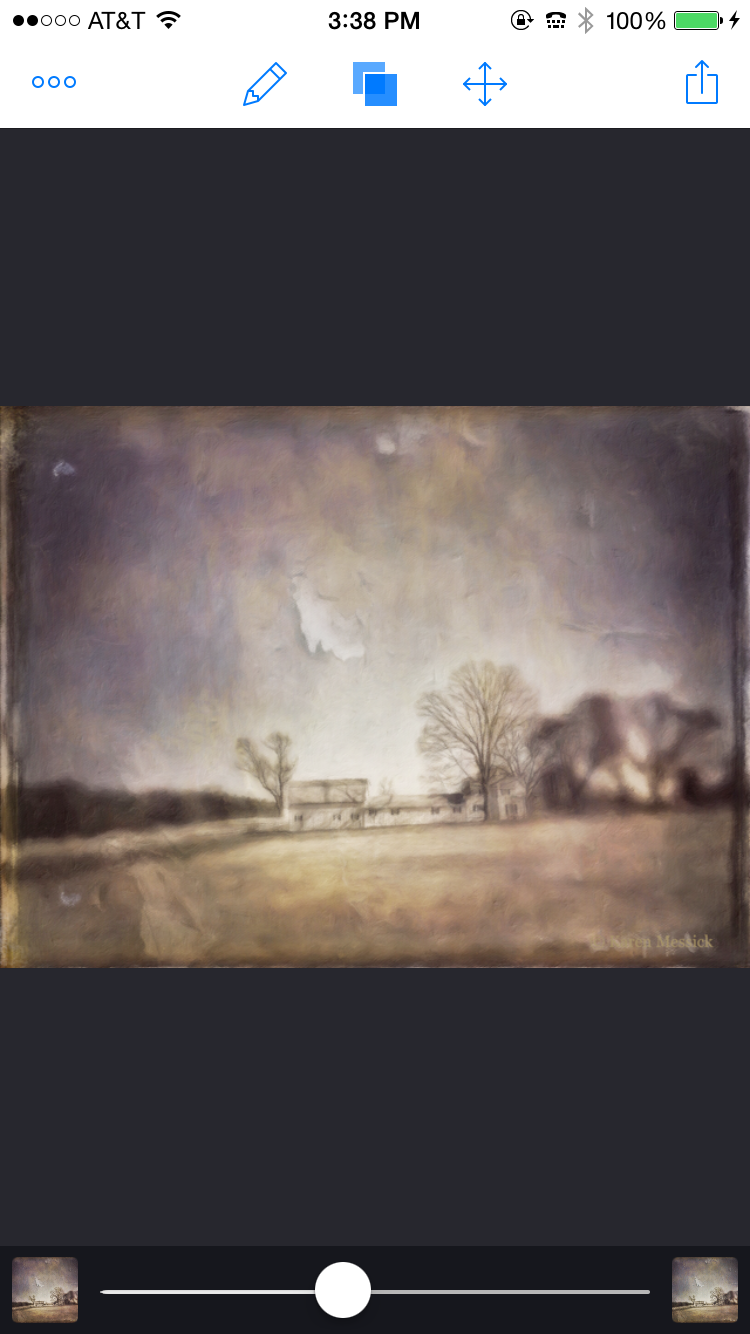
Processed final image...Farm Dreams
Rainy day at the beach so I have some time to made good on a promise I made about writing a tutorial on my image "Farm Dreams" I posted on Facebook the other day....so here goes....
As with all images Capture is important, given subject and light. So my choice to capture the original image was with Camera+ in late afternoon light striking this side of the barn. The farm was a good way off the road and knowing that Camera+ has a zoom feature as well as an exposure and focus feature, I chose to capture the image with Camera+. When I captured it I knew that a zoomed in iPhone image would not give me the best quality for a "straight" shot, but I did not care about the quality just the capture, as I had intended to use processing applications to create a painterly look.
Image 1 original capture with a little tweaking in Snapseed.
I always run my original capture through Snapseed as a basic processing application for clarity, structure, ambience, white balance etc.....
Image 2 Processed in Stackables using the Formula feature and Tintype...
Image 3 Added texture filter Lacerations in Stackables to the Tintype filtered image and one more texture "Soft Clouds" at a very low opacity and saved to camera roll.
Image 4 Added my signature with Impression and saved to camera roll.


Image 5 This is Image 4 processed with the Impresso app...Choosing the preset "Portrait Perfect" and then adding an area of adjusted brush strength.
Settings in Impresso

Detail area selected
After making the image adjustments in Impresso I saved it to my camera roll for further editing.

Image 6 Blended with Image 5 and 4 in ImageBlender

After saving the blended image I then took the image back into Snapseed for contrast, brightness, detail and structure adjustments to arrive at the Final edited image.
Final Edited Image "Farm Dreams"
I love getting comments on Facebook from friends that see my images...and I just loved the interpretation of Carol Tharp when she wrote "Reality ripping away at your dream!" Awesome insight, tho I never wanted a farm in many ways this may be true....about reality anyway!
and thank you.....Jean Pineda Quimpo...who commented on my FB page "Hope we can get some tutorials on your piece."
Have fun shooting and using your iPhone for creative endeavors! Hope to see some of you on an iPhone or Big Camera workshop one day! or find me on FB!

Wednesday, April 16, 2014

Whats your Muse? Apps~Hipstamatic ~ Glaze ~ BracketMode ~HDR Pro~ Leonardo ~ Snapseed

Often, I ponder what it is that moves me to see and then create an image......waxing introspectively....
On my recent workshop at The National Gallery of Art, men inspired me, doing what they do in this beautiful environment...as I was working with the group explaining BracketMode and HDR Pro I spotted this gentleman with his camera. I was curious about this older man walking around the gallery putting his camera to his eye and shooting images...at any age photography is a gift and a camera a good companion! I quickly grabbed a BracketMode shot while he stood still looking at the tree with his camera to his face. BracketMode allowed  me to capture the light inside with detail on the wall, as well as the beautiful light falling on the outside building wall. I wondered what image he made....
Captured: BracketMode Processed:HDRPro, Snapseed
After the workshop was over I found him in another section of the gallery and made this image. Waiting until I found just the right composition which allowed me to fit him in between the two paintings hanging on the wall. He was alone with his camera, his thoughts and marvelous art!
Captured: Hipstamatic, Jane lens Inas 1969 film Processed: Glaze, ImageBlender, Leonardo, Impression
The same day one of my young students, who I was terribly impressed with....captured my "Yes" when I saw him holding his iPhone up to capture the condensation of the perpetual condensation display....and once again...the joy of photography came to mind...from the very young with his iPhone to the older gentleman with his DSLR. Amazing....how we see so differently through the lens!!! any lens! and the joy it brings.
Captured: Hipstamatic, Jane Lens Inas 1969 film Processing: None
While showing a workshop student a composition using Hipstamatic, of a man seated, seemingly as part of the stone building structure, an art object himself, we got down low and and made this composition. He never knew we were there.
Captured: Hipstamatic Processed: Glaze, ArtistaSketch, ImageBlender, Snapseed, Leonardo
And after the workshop I strayed into the West wing and captured the Gallery Guard as he was directing traffic and warning people to put their beverage bottles away, again, waiting to catch him in a position separated from the escalator so that he was in a good position to offset his person against the wall in front of him, and waiting for that crossed hand behind the back stance that caught my eye initially.
It is always fun to shoot with the iPhone, then app it up! I have only two spots left for my all day workshop sponsored by Capital Photography Center on May 4th. Hope someone can join me there. For more info Click Here. My next "Getting Started" class is June 1 at the National Portrait Gallery for more info click here.
Captured: Hipsatmatic Jane Lens Inas 1969 film Processed: Glaze, ImageBlender, Snapseed, Leonardo, Impression

Monday, February 17, 2014

A Little Whimsey ~ BracketMode ~ ProHDR ~ Portrait Painter ~ Snapseed~ ImageBlender ~Leonardo

Before the recent snowfalls I wandered around Druid Hill Park one day with my iPhone. It is a fabulous old park in Baltimore with good walking paths, Victorian pavilion structures and magnificent old trees. I made a couple compositions before landing on this one. I just loved how the old trees seemed to embrace the little pavilion in the woods. Below is a series of images with notes on how I arrived at this process. On a humorous note, I was also dubbed a "Master App Stacker", by Gilles Dezeustre of the 11er's by Glaze when he re-tweeted the previous post I made using one of his superb apps Glaze! That gave me a chuckle!! I have been called many things in my lifetime but that's a new title! I guess this post is a good example of App Stacking!! Thanks Gilles! A link to his app can be found here! Glaze... 
Happy to say my Spring 2014 iPhone Photography Class starts tonight at Johns Hopkins and the class is full with a wait list! amazing!! If you are interested in learning more about iPhone photography....Check out the sidebar of this blog for more info on my upcoming iPhone Workshops and classes.
I am also honored to have been invited to Present a Session on iPhone Photography at Nature Visions, in Virgnia this fall. Also happy to have sold a framed iPhone print and a few more ceramic iPhone image magnets at More Than Fine Framing in Baltimore.
Finished processed image copyright added with Impression
BracketMode Image no 1 Captured for highlights

BracketMode Image no 2 Captured for dark areas

Processed image no 3 BracketMode images 1 and 2 in ProHDR
Snapseed image no 4 sharpened and converted to monochrome
Snapseed image no 5 Retrolux Filter
ImageBlender image no 6 : Image no 3 and image no 5 combined
Image no 7 processed image no 6 in Portrait Painter by JixiPix
and enhanced color and saturation in Leonardo