Showing posts with label PhotoWizard. Show all posts

Monday, February 25, 2013

Abstraction ~ Decim8~ Glaze~ Image Blender

Abstracts have a fun place in my workflow, with the iPhone's ability to process images using creative apps. The apps I have been using for a few recent abstract images are Decim 8, Glaze, Tangled FX, PhotoWizard and of course ImageBlender to mosh them up by arranging pieces from one to another, masking out and choosing blend modes. Then I run the images into Glaze and come up with a cool filter to "paint" and blend the colors together. The image above started as an iPhone picture of a stained glass window! Now that's some pixel bending!


After maaaannnyyyy processes I landed on the abstract below...which I liked.
This image has many layers using four images arranged one over the other in the app ImageBlender. The apps I used to get to this point include: Glaze, ImageBlender, PhotoWizard, Rollage Kyoobik, Tangled FX,
Then I ran the abstract above through a couple iterations in Decim8 and landed on the image below. I liked it! It looked like a spring field, a cool sky scape and a blue landscape...so I then wanted to mosh the colors up in Glaze and landed on the opening image.
Decim8 also gave me one more iteration I liked but I didn't feel it was as strong as the one I selected. The weight in the image is a little different and the sky effect is a little too bright by comparison. But I am not going to throw it away because I like pieces of it especially the pools of blue in the bottom, and may use it in another image blend later on. If you like surprises and abstracts try Decim8! for some unexpected image "fractures."
...............and if you can join me for my next day long iPhone workshop with Capital Photography Center, here's the link! CLICK HERE ....We will be covering lots of apps for shooting, processing and managing images as well as great iPhone info! Hope to see you there!


Monday, February 11, 2013

Creating Abstracts: Apps: Tiny Planet~Tangled FX~Glaze~ImageBlender

Wave
Yesterday I led an iPhone workshop in Washington DC at the National Gallery of Art. It was great working with new iPhone photographers. Along the way I captured a few quick shots. The moving escalators underground are cool with walls of lights so as we were moving I grabbed a couple shots.
The image above was the final result of that shot. I really am having some fun with this style or creating abstracts from pixels getting a painted look with Glaze as part of the recipe.
The sequence of images below will show you how I arrived at the image above I call "Wave"...that's what I think I really enjoy about the apps for the iPhone...I really didn't have an objective for the "final" image....I just started playing with the shot of lights in the tunnel. Once you know your apps you can use the what if game...like I did here...
Original Capture Hipstamatic Tinto with C-Type Plate
Above Image run through Tiny Planet
Tiny Planet Image with an iteration from Glaze
  
Above image run through Photo Wizard to distort and colorize
Above image run through Tangled Fx
One more iteration in Glaze

Final Image blended the last Glaze iteration with Tangled Fx version and ran one more iteration in Glaze with the blended image. Then a little saturation and contrast applied in Snapseed.
If I could only really paint like this!!


Tuesday, June 28, 2011

PhotoStudio/PhotoWizard/Original PhotoForge/BadCamera/SuperImpose


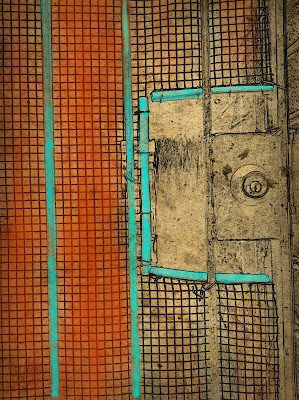
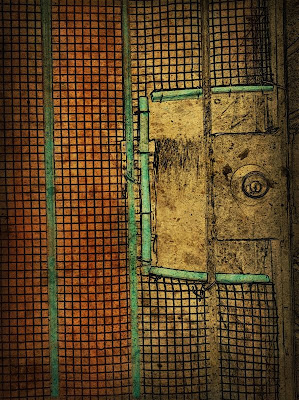
Yesterday while cleaning up my camera roll, I came across an image I made months ago while conducting a photo workshop in Fells Point. Sometimes I use the iPhone to frame up a shot for a workshop participant. This shot was one I made that day, it interested me for the texture, graphics and the creativity the homeowner used when securing the breezeway.Yesterday I decided I wanted to limit myself to using a couple apps on the image, as I often do that to explore every option an app might have. While PhotoStudio and PhotoWizard are not new apps, they have had updates and I wanted to revisit them.
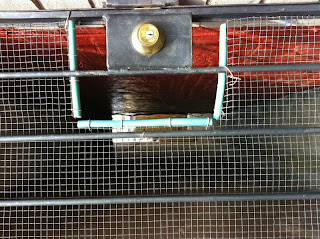
Original File
So I started with PhotoStudio and applied the PencilPaint filter and adjusted the sliders and got the effect below. I  liked it because the filter distilled the essence of what I liked the graphic quality of the scene. But I didn't like that the color was stripped away...so ....I opened this image in the original PhotoForge and painted in some color. There are many painting apps but I like this version as it has a color picker and brush size selection and an opacity adjustment as well as a zoom and move feature so you can toggle between painting and zooming in and out for detail work. (I am sure there are other apps with these features but this is one I like)
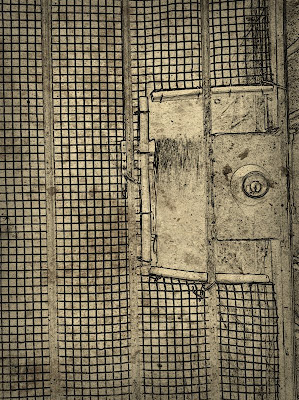
PhotoStudio PencilPaint File
"Original PhotoForge" Painted File


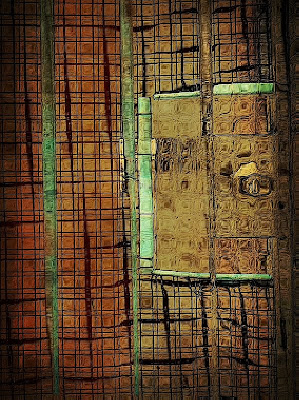
I liked the original turquoise of the tubing the owner had placed around the edge of the wire so I picked a turquoise color brush and opacity I liked to paint back in the color where I wanted it. I also painted in some brick color for interest and contrast. I liked the result so I saved the file. I then said WHAT IF as I usually do and ran the colored image into BadCamera, and added a vignette effect and some grunge. I then saved the file. I liked the image as it is but I one again said what it...and opened the image in PhotoWizard. I found the filter there called bathroom glass which added a bit of interest to me.
BadCamera filtered File
PhotoWizard BathroomGlass File

I loved the distortion effect the bathroom glass filter created after I adjusted the sliders a bit, so I stopped there and said that's it. I applied a sharpening filter and saved the file.
I finished the image with a frame from Crop'n'Frame and Impression for my signature. It was my intent to work this image in just one or two apps....but my mind wandered....and that's how it is when processing images on the iPhone with all the fun apps available.
And while I was working on this image I learned about a new app SuperImpose...so I played a bit more, but settled on the opening image. I will be exploring SuperImpose more, it looks like a Fabulous App for Blending, Masking , selective coloring...
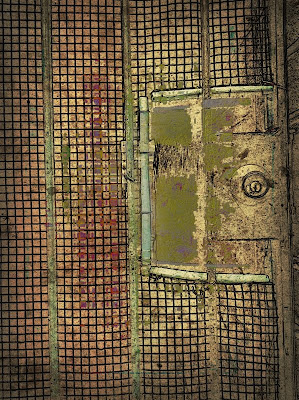
SuperImpose version.