Showing posts with label ProHDR. Show all posts

Sunday, March 22, 2015

Hipstamatic Oggl ~ TinType ~ Alt Photo

App: TinType by Hipstamatic LLC
Hipstamatic Classic has long been one of my favorite shooting apps and one I teach in my intro to iPhone Photography workshops. Lately I have been revisiting two other App products by Hipstamatic LLC, TinType and Oggl. TinType launched in the fall of 2014 and Oggl launched in May 2013. TinType is a full resolution, one trick, pony, producing effects reminiscent of daguerreotypes, tintypes, with a few processing choices, such as blur, grain and frame,  but for .99 in the App store it is worth giving it a try if you are running iOs8 or later and like those looks. It has potential but does not have the variety of looks as in the App Alt Photo by Alien Skin Software. (Even tho Alt Photo has not had an update since Dec 2012 it still functions on iOs 8 using the iP6 producing a full resolution file.)

Oggl on the other hand is an immensely deep App that requires a subscription either $3.99 for three months or $9.99 for a year. Oggl will allow you to import images from your camera roll then allow you to apply any Hipstamatic combo of Film and Lens that you have purchased using the Classic Hipstamatic App.
You can also shoot with Oggl making exposure choices by moving the on screen reticle around the scene while composing your image. The one thing you can't do using Oggl is shoot with Oggl and have a 'standard' unfiltered image file delivered to your camera roll. For those that like to shoot Oggl with their iPhone and process on the iPad this poses a problem...because each file shot with Oggl will have the recent combo applied while saving. I sent a note to the developer requesting the possibility an update that would make saving an unfiltered image file to your camera roll that was shot with Oggl. If that happened you could then shoot with Oggl and process the image on your iPad with Oggl options. 

The one thing you can do in Oggl by choosing exposure is create two images with different dynamic light range. In the hotel cafe I visited this past week, I saw a scene I liked and wanted to use Oggl to test capture two different exposures to then further blend in Pro HDR.
Image 1. Oggl single shot exposed for the bright outside light
I liked the window light with blinds so I captured  Image 1 for the  blinds and while holding my iPhone in the same spot and as still as I could, quickly moved the exposure reticle to create a second exposure for the light on the sofa in Image 2.
Image 2. Oggl shot exposed for the dark interior light.
(outside light blows out and detail is lost in the blinds)
In this shot now you can see the interesting light falling on the sofa but the blinds are beginning to lose interesting detail.
In this the combined processed image below, using Pro HDR you can see both detail in the window blinds and the interesting light falling on the sofa.
Image 3. Combined processed images in Pro HDR allows both the inside light on the sofa and the bright outside light to have detail as well as the light on the window blinds.
My next day long iPhone photography class is April 12 in Washington DC...if you might be interested in attending CLICK HERE for more information and registration.


Wednesday, January 21, 2015

National Police Memorial ~ App Stacking: Snow Daze ~ Stackables


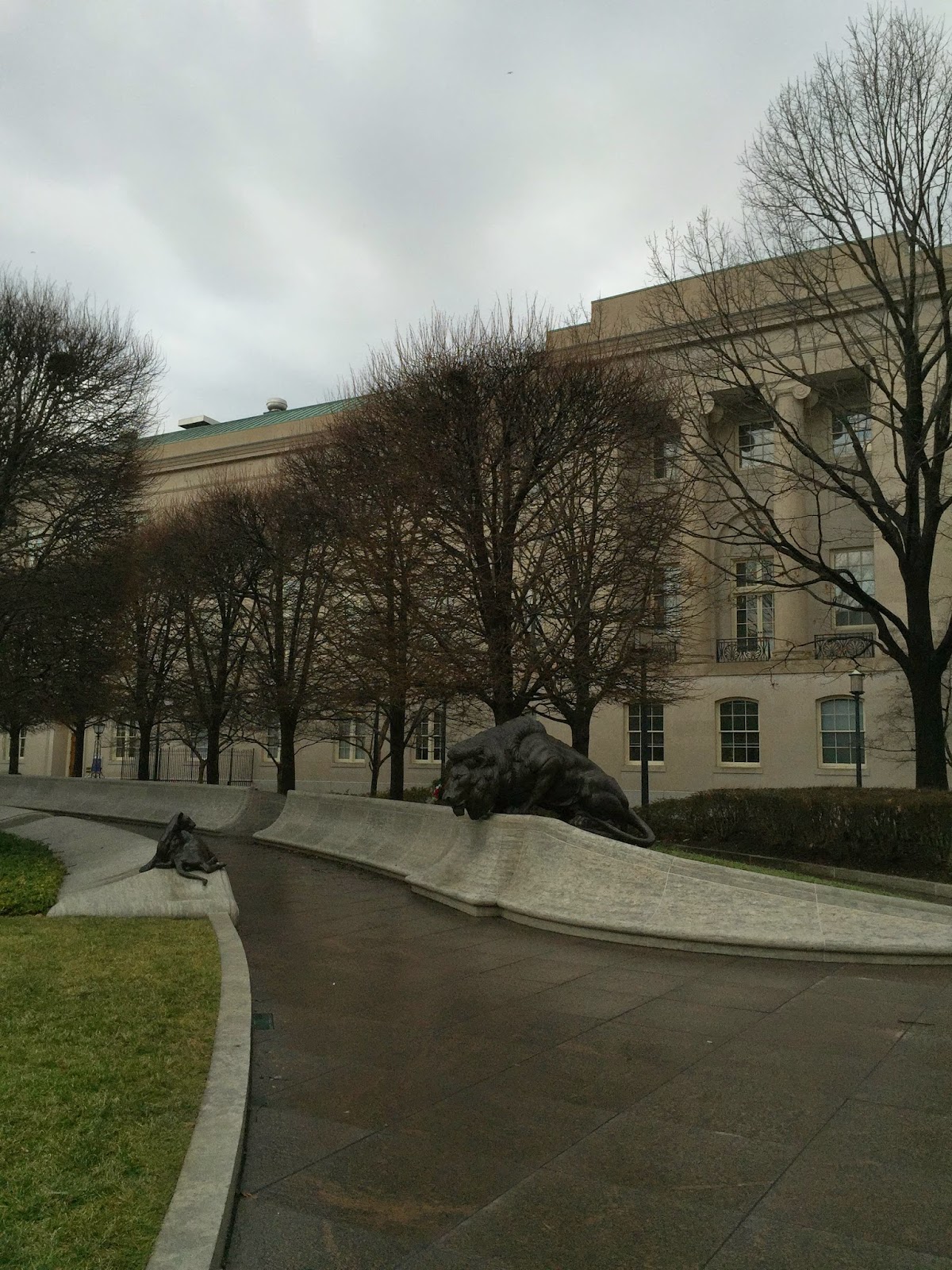
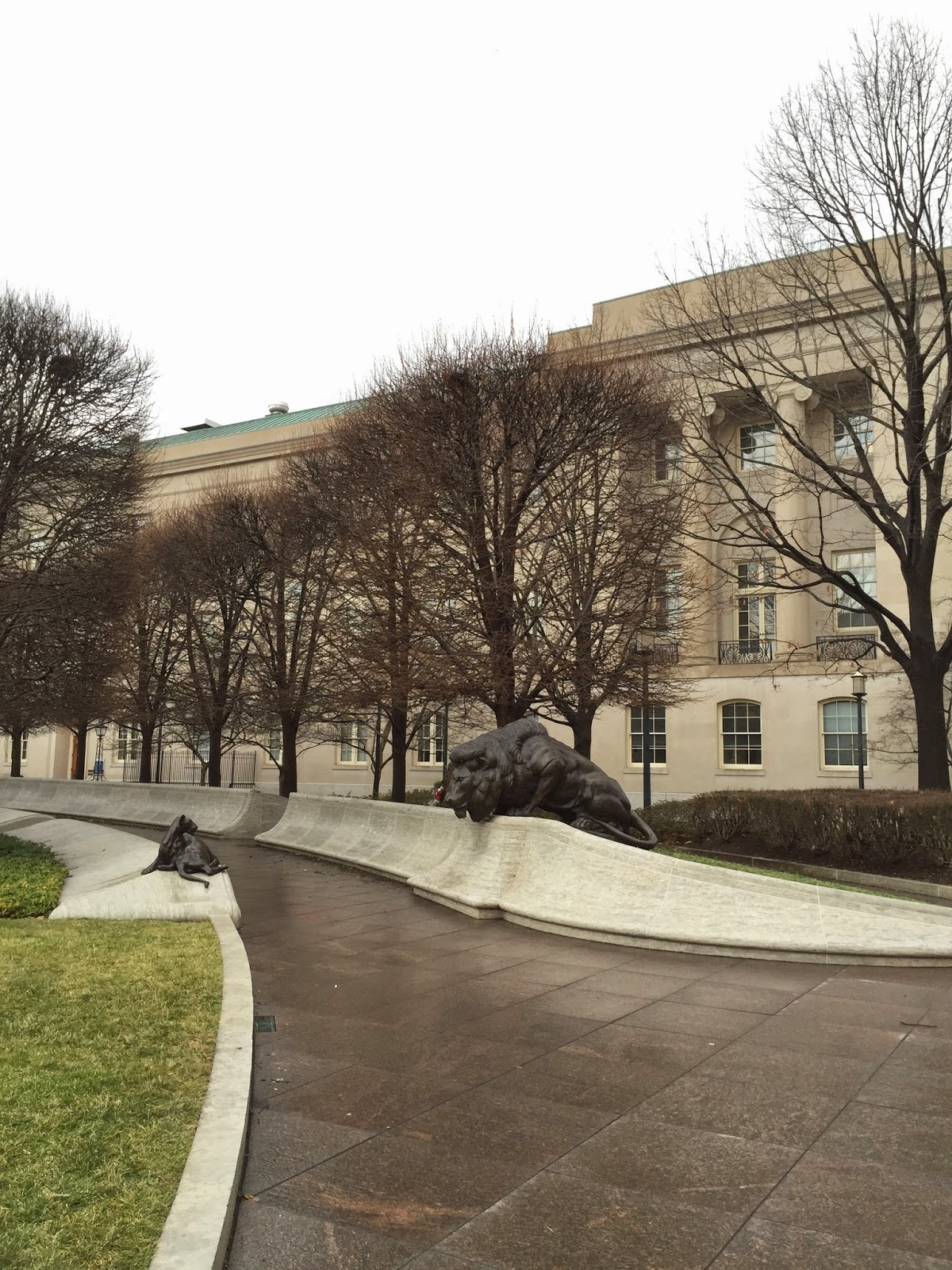
Seems fitting since it is snowing that I make this post on Snow Daze by JixiPix and Stackables by Samer Azzam, for processing a couple images I made in Washington, DC at the National Police Memorial. The image above was captured using BracketMode by CogiTap Software, delivering two exposures to the camera roll, one light for the dark areas in the scene and one dark for the bright areas in the scene.
Bracket Mode capture image for bright sky
Bracket Mode capture for dark shadows
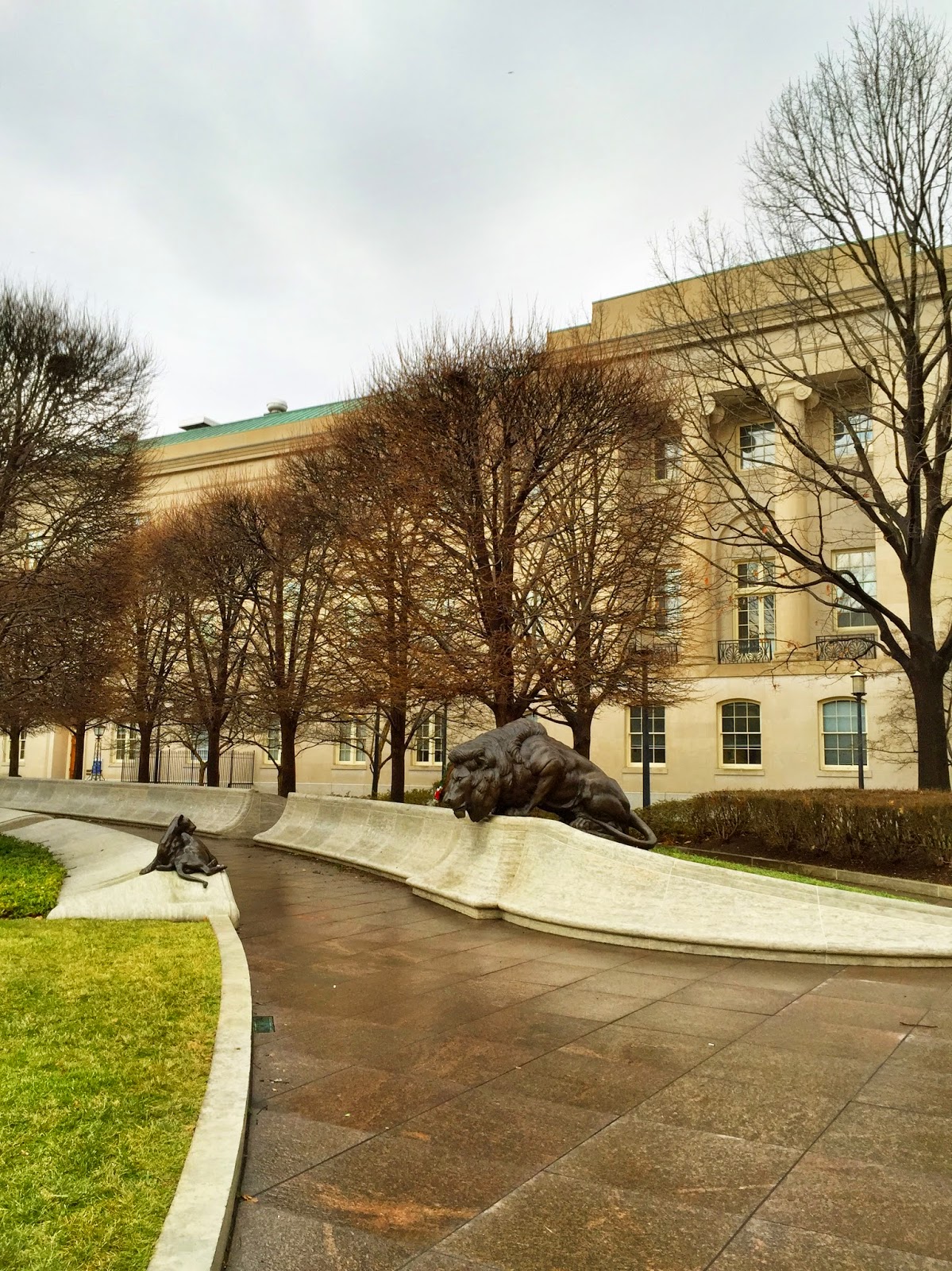
The two images captured by Bracket Mode were blended in Pro HDR by eyeApps LLC selecting the Actions: HDR from Library menu option, to achieve one exposure, then adjusted for tone and color and saved to camera roll.
Combined Bracket Mode exposures in Pro Hdr
Then I imported the blended image into the app Stackables and applied one layer of adjustment called Bleached in Blend mode "Color" which rendered the image into a monochrome file. I saved that image to the camera roll.
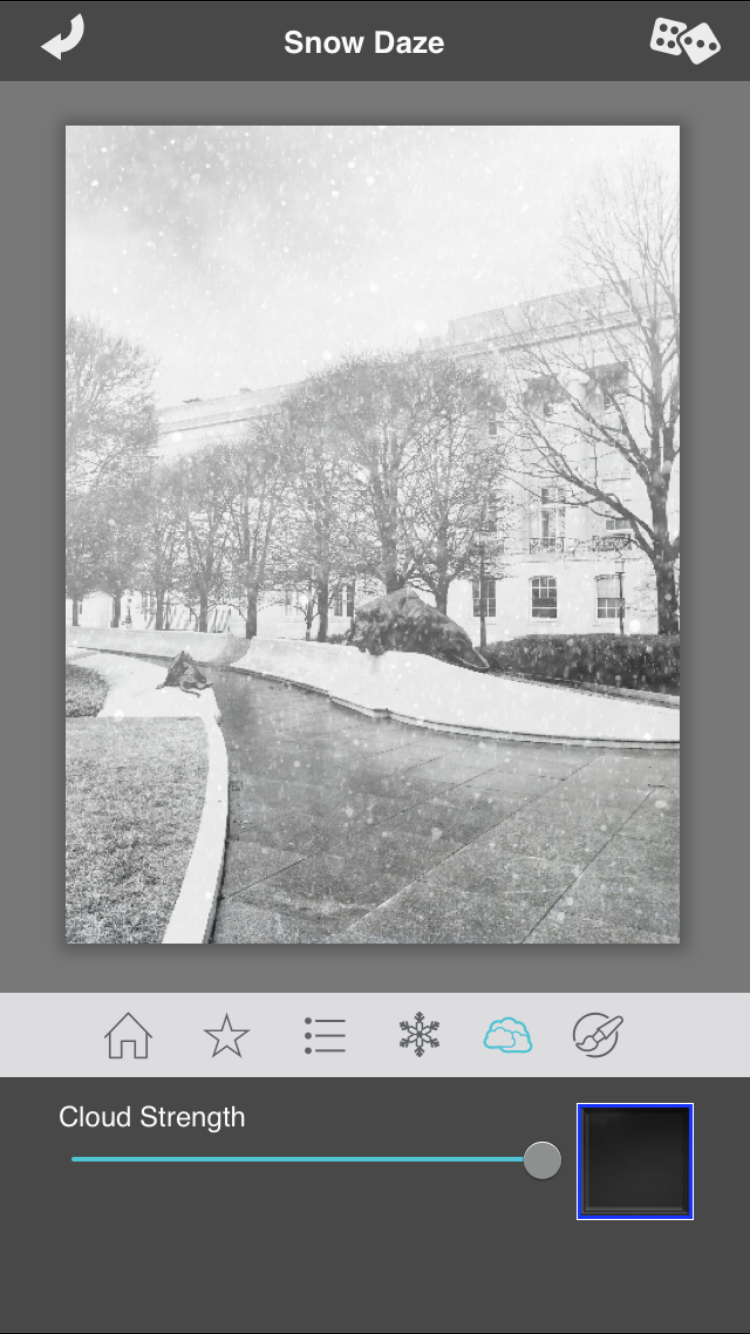
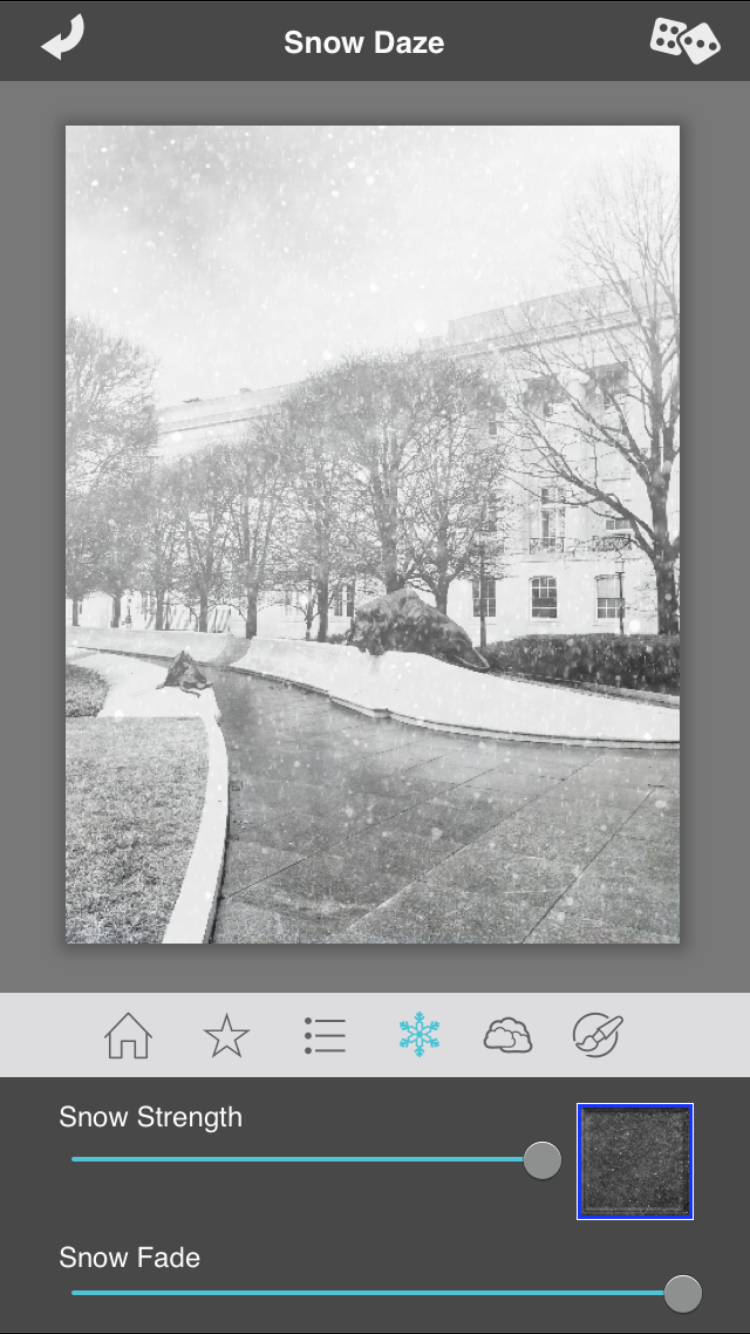
 Then I opened that image in Snow Daze by JixiPix and applied both a cloud filter and a snow filter, making adjustments to each until I achieved my desired look.
Cloud strength adjustment menu choice
Snow adjusted image menu choice
Once I had the look I wanted in Snow Daze I saved that image and then imported that image into Stackables to finish it off.
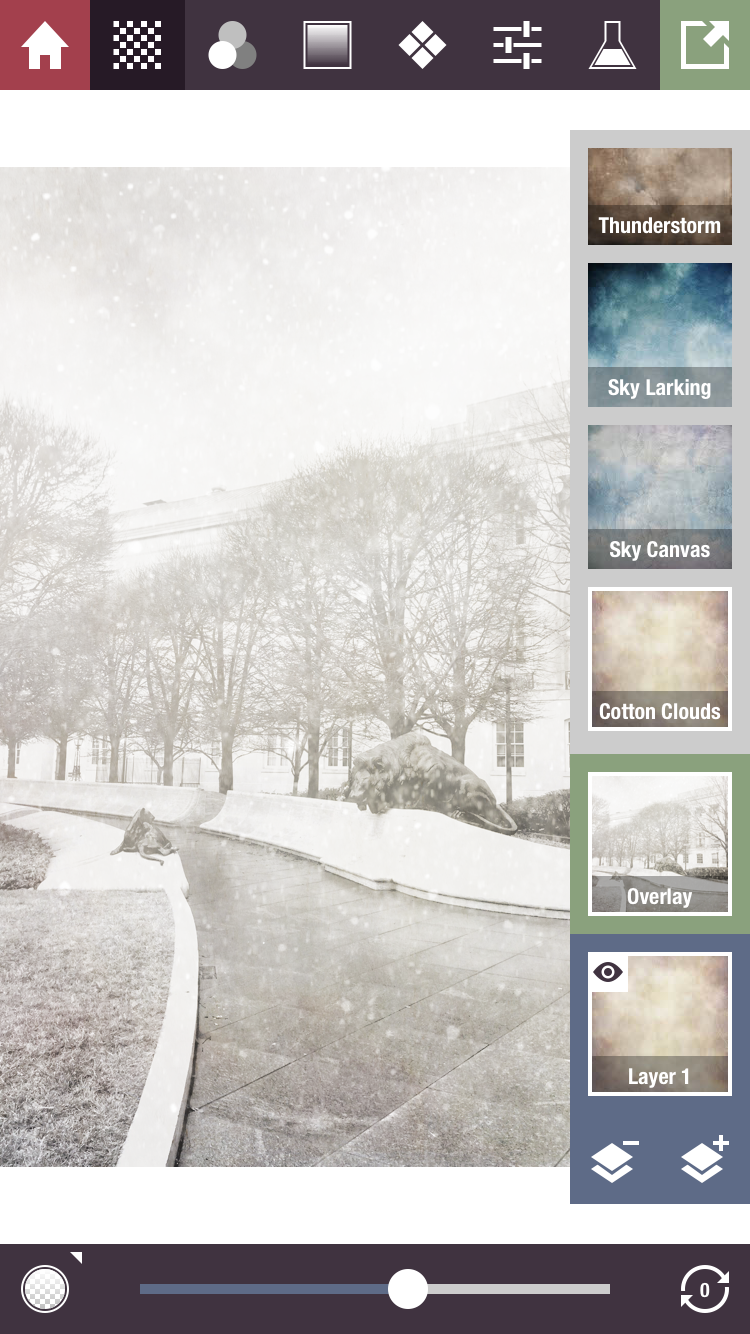
First layer in Stackables: Filter Cotton Clouds:  Blend Mode: Overlay Opacity: about 50% Then hit the + icon to add another layer
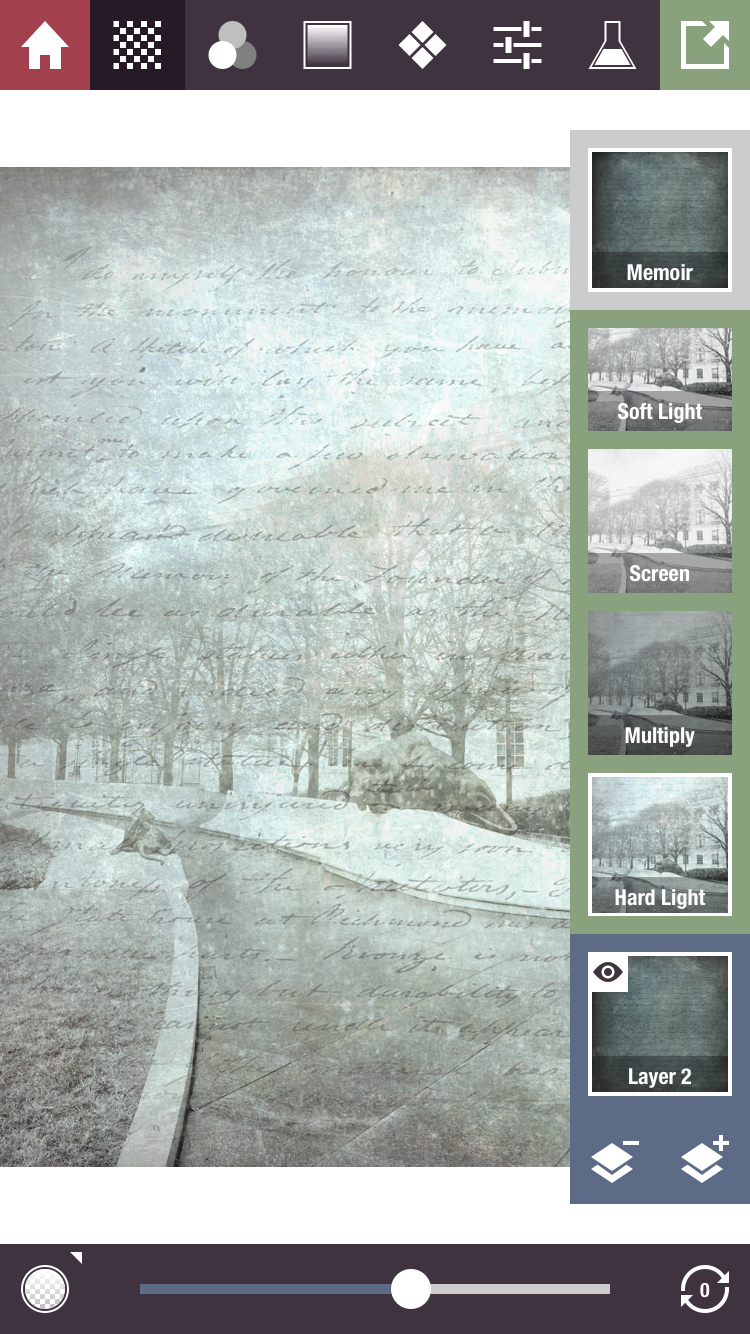
Second layer in Stackables: Filter Memoir (in app purchase) Blend Mode: Hard Light Opacity: about 55% then I added one more layer by hitting the + icon.

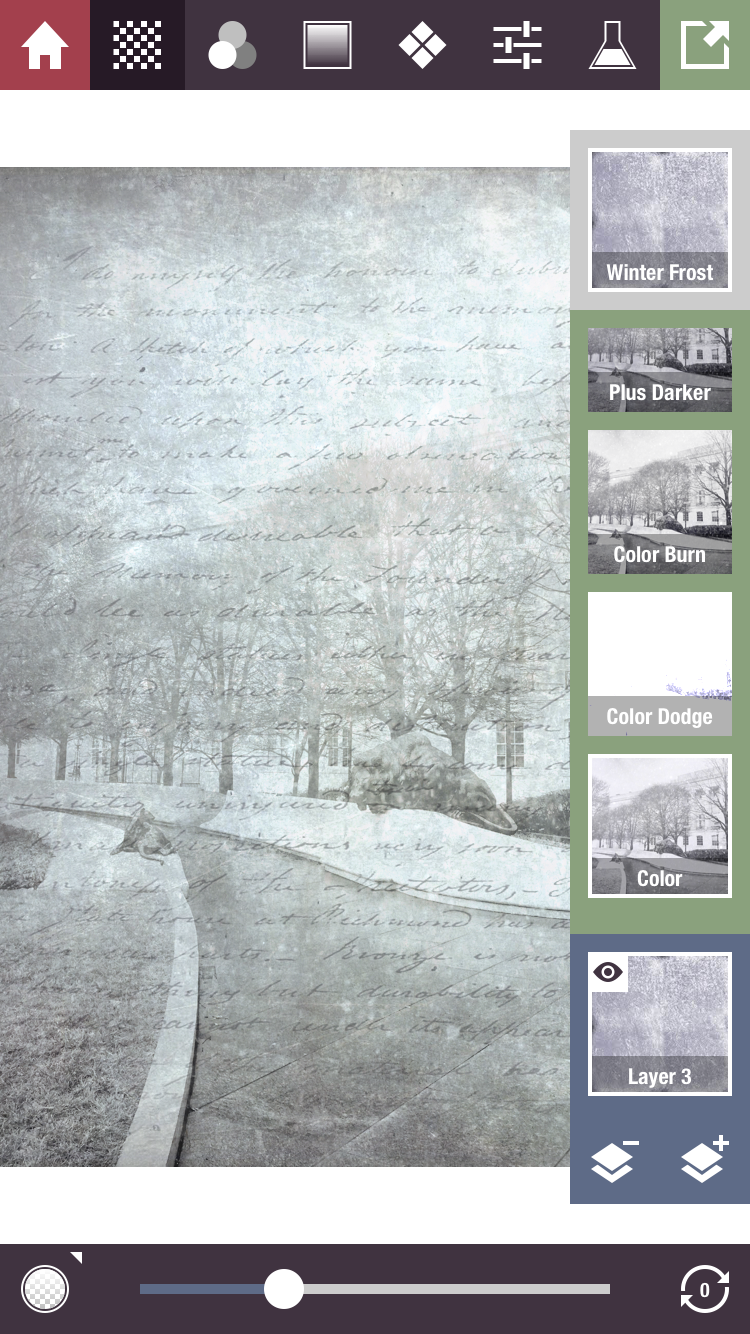
Third layer in Stackables: Filter Winter Frost: Blend Mode: Color Opacity: about 30%
 Thats it...here is one more image I made in a similar process and added a frame effect in PhotoToaster. If you like working with apps on your iPhone, I would love to see you in one of my iPhone workshops sponsored by Capital Photography Center.
Here is a link to my iPhone workshops sponsored by Capital Photograph Center. iPhone workshops Click here.
You can also catch me at The Horizon Photography Summit for a one hour intro to iPhone imagery. Click here.
Or Join me for a six week session in iPhone photography at Johns Hopkins Homewood Campus. For Johns Hopkins info Click here.


Wednesday, April 16, 2014

Whats your Muse? Apps~Hipstamatic ~ Glaze ~ BracketMode ~HDR Pro~ Leonardo ~ Snapseed

Often, I ponder what it is that moves me to see and then create an image......waxing introspectively....
On my recent workshop at The National Gallery of Art, men inspired me, doing what they do in this beautiful environment...as I was working with the group explaining BracketMode and HDR Pro I spotted this gentleman with his camera. I was curious about this older man walking around the gallery putting his camera to his eye and shooting images...at any age photography is a gift and a camera a good companion! I quickly grabbed a BracketMode shot while he stood still looking at the tree with his camera to his face. BracketMode allowed  me to capture the light inside with detail on the wall, as well as the beautiful light falling on the outside building wall. I wondered what image he made....
Captured: BracketMode Processed:HDRPro, Snapseed
After the workshop was over I found him in another section of the gallery and made this image. Waiting until I found just the right composition which allowed me to fit him in between the two paintings hanging on the wall. He was alone with his camera, his thoughts and marvelous art!
Captured: Hipstamatic, Jane lens Inas 1969 film Processed: Glaze, ImageBlender, Leonardo, Impression
The same day one of my young students, who I was terribly impressed with....captured my "Yes" when I saw him holding his iPhone up to capture the condensation of the perpetual condensation display....and once again...the joy of photography came to mind...from the very young with his iPhone to the older gentleman with his DSLR. Amazing....how we see so differently through the lens!!! any lens! and the joy it brings.
Captured: Hipstamatic, Jane Lens Inas 1969 film Processing: None
While showing a workshop student a composition using Hipstamatic, of a man seated, seemingly as part of the stone building structure, an art object himself, we got down low and and made this composition. He never knew we were there.
Captured: Hipstamatic Processed: Glaze, ArtistaSketch, ImageBlender, Snapseed, Leonardo
And after the workshop I strayed into the West wing and captured the Gallery Guard as he was directing traffic and warning people to put their beverage bottles away, again, waiting to catch him in a position separated from the escalator so that he was in a good position to offset his person against the wall in front of him, and waiting for that crossed hand behind the back stance that caught my eye initially.
It is always fun to shoot with the iPhone, then app it up! I have only two spots left for my all day workshop sponsored by Capital Photography Center on May 4th. Hope someone can join me there. For more info Click Here. My next "Getting Started" class is June 1 at the National Portrait Gallery for more info click here.
Captured: Hipsatmatic Jane Lens Inas 1969 film Processed: Glaze, ImageBlender, Snapseed, Leonardo, Impression

Monday, February 17, 2014

A Little Whimsey ~ BracketMode ~ ProHDR ~ Portrait Painter ~ Snapseed~ ImageBlender ~Leonardo

Before the recent snowfalls I wandered around Druid Hill Park one day with my iPhone. It is a fabulous old park in Baltimore with good walking paths, Victorian pavilion structures and magnificent old trees. I made a couple compositions before landing on this one. I just loved how the old trees seemed to embrace the little pavilion in the woods. Below is a series of images with notes on how I arrived at this process. On a humorous note, I was also dubbed a "Master App Stacker", by Gilles Dezeustre of the 11er's by Glaze when he re-tweeted the previous post I made using one of his superb apps Glaze! That gave me a chuckle!! I have been called many things in my lifetime but that's a new title! I guess this post is a good example of App Stacking!! Thanks Gilles! A link to his app can be found here! Glaze... 
Happy to say my Spring 2014 iPhone Photography Class starts tonight at Johns Hopkins and the class is full with a wait list! amazing!! If you are interested in learning more about iPhone photography....Check out the sidebar of this blog for more info on my upcoming iPhone Workshops and classes.
I am also honored to have been invited to Present a Session on iPhone Photography at Nature Visions, in Virgnia this fall. Also happy to have sold a framed iPhone print and a few more ceramic iPhone image magnets at More Than Fine Framing in Baltimore.
Finished processed image copyright added with Impression
BracketMode Image no 1 Captured for highlights

BracketMode Image no 2 Captured for dark areas

Processed image no 3 BracketMode images 1 and 2 in ProHDR
Snapseed image no 4 sharpened and converted to monochrome
Snapseed image no 5 Retrolux Filter
ImageBlender image no 6 : Image no 3 and image no 5 combined
Image no 7 processed image no 6 in Portrait Painter by JixiPix
and enhanced color and saturation in Leonardo

Sunday, October 27, 2013

Hipstamatic Oggl~ Now you can create an HDR with your favorite Hipsta Combo!


Image Capture: Hipstamatic Oggle Processing: Pro HDR, Glaze, Leonardo, ImageBlender
When the folks at Hipstamatic launched Hipstamatic Oggl in May of this year, I passed it by; thinking, Why would I want to pay for a subscription on an iPhone app? (It is only $9.99 a year) But now it has been through several version updates, with the most recent one on October 17 and it is packed with goodies! You can import all your existing Lenses and Films from Hipstamatic Classic, you can control exposure, you can swap filters, you can share with the Oggl community, you can import images from your camera roll and apply Hipstamatic filters and now you can create a High Dynamic Range (HDR) Hipsta image with a little creativity and a tripod mount. (If you are a classic Hipsta shooter, how many times did you wish for control over exposure? Well Oggl delivers it now.)  As far as a tripod mount: Kirk makes a cool tripod mount that fits its regular tripod plate here is a link for it: Click here: but there are others, its just really important to keep the iPhone still and in the same position when making the two bracketed images.
Here is how I created a Hipstamatic Oggl HDR image...I was playing with Oggl, with my iPhone mounted on my tripod at Longwood Gardens on Saturday. It was a bright, windy, sunny, contrasty but beautiful fall day. I wanted to capture the sky and shady areas in the landscape. So, I thought, now that you can choose an exposure point in Hipstamatic Oggl, I did and made an exposure for the sky, which of course threw the ground and shady areas into almost complete darkness. Then I made an exposure for the ground and shady areas which blew out the sky! Perfect! Now I had the two Hipstamatic images I wanted to blend together in Pro HDR by eyeApps LLC (ProHDR has not done an update for iOs7 but seems to work fine)...It worked!!! here's the proof! So now I would recommend purchasing Hipstamatic Oggl! Its Hipsta Classic on Steroids!
Here are the files I used to achieve the opening image. For both sets of image files I used Ina's 1969 film and the Jane lens.
 
Exposure made on tripod and created to capture details in the shady area, which blew out the sky.

Exposure made on tripod and created to capture the sky color, which threw the areas in the shade into darkness.
Combined image in Pro HDR
So because I could I made another image in the same way. Here is the finished "Glazed" image and the shots I used to get to the final image.
Captured for detail in the shady areas, sky blows out.
Captured for the color of the sky, shady areas go almost black.  
Combined previous two images in Pro HDR
Processed in Glaze and enhanced in Leonardo for final image.

Tuesday, August 14, 2012

Markree Castle, Ireland ~ App ~ Vintage Scene

Capture: Camera+  Processed: Vintage Scene
During my Ireland tour with Peter Cox, John Barclay and Dan Sniffin, I was making iPhone images as well as "Big Girl" camera images. It was really quite fun helping other professional photographers on tour with their iPhones. They were downloading new apps and as we drove from town to town I was demonstrating how to use the apps. After the tour was over I spent ten more days road tripping through Ireland. One of the high lights of my trip was my stay in the Markree Castle. I had intended to do some photography here with the Nikon camera but the rain never stopped for the days I was here. The morning I was leaving I did walk around the grounds in my rain slicker and made a few images with my iPhone. The age of the castle and the rain led me to choose an app that creates a look of old photos, with many options for adjustments, from color to texture and borders. Its not a new app but it is one of my favorite apps.
Capture: 6x7 Processed: Vintage Scene

I loved the architectural details of the windows with climbing roses.
Capture: ClassicPan Processed: Vintage Scene
Capture: BracketMode Processed: ProHDR: Vintage Scene

This is a shot of the bathroom window in my room that overlooked the gardens...it was a great place!
I am offering the same Ireland tour June 2 - June 11, 2013 with Peter Cox of Ireland. To date there are six photographers registered with space for 8 more, so if you are interested in the South-west Ireland tour with myself and Peter Cox: click here for more info and registration.
This fall in Baltimore, in conjunction with Johns Hopkins University Odyssey program I am happy to be offering a six week iPhone class. For more information and registration click here.

Saturday, June 16, 2012

Ireland or Bust!...

Sunset: Capture: BracketMode Processed: ProHDR: Autopainter; Snapseed: ImageBlender: Crop'n'Frame
Well it was a good trip, but long...leaving home Friday, June 15 at 12:45 ECT and arriving Ireland Saturday, June 16 at about 11:00am. London, Heathrow was the worst....many checkpoints and great distances between terminals..people were all nice but don't pack your iPad in your briefcase like in the US where we can just pass it through the screening. In the UK you have to also remove your iPad from your briefcase along with your laptop and tub it! But you can leave your shoes on! Who knew, so I got hung up there for a little while waiting for them to empty my briefcase and re-screen, then a mile or so to the final terminal...and one more check point!
The coolest part about the trip so far was the flight from New York's JFK at 7:00 pm...watching the sun set in the west over the wing as we flew north and then a few hours later watching it rise over the wing as we dropped down into London..My window was the dirtiest airplane window I have seen but I didn't care I was just using my iPhone and I figured I could paint it up with AutoPainter3 and I could at least capture the essence of the scene. Looking down on the earth as the light changes in the sky is truly awesome. Pilots have the best views!!!
When I arrived at the Oakwood Arms in Shannon, I was bushed...but wanted to explore a little on foot. So I walked to the local mall had a bite at the Nosh + Coffee and took a leisurely stroll back through a little village. I had noticed a business across from the hotel called tastypizza, doing business in what looked like an old thatched roof cottage with red doors. Since it was fairly commercial on the front side I passed it up as a photo opp, but when walking back through the little village the back side of the tastypizza had an all together different look and there were two Indian children playing on the door steps. So I took a few pictures the children were wonderful and wanted to pose for more. Then I showed them their pictures.As I walked around the front of the building I went in and guess what their dad ( I recognized the family resemblance) was the owner of the shop so I got his e-mail and came back processed a few shots and sent him the pics! Then I came back to the hotel freshened up from the travel and took a nap!!!
Capture: CameraPlus Processed: Snapseed

Heading to dinner around 8:30 I ran into John Barclay, Dan Sniffen and Peter Cox so the gang is here. The tour with them and the group that has signed up should be great.... looking forward to being taken around the south west of Ireland's Ring of Kerry. Looks like Peter has a great itinerary lined up for us. Big camera pics tomorrow...
Murphy's Cottage, Shannon, Co. Clare  (tastypizza)
Capture: BracketMode Processed: ProHDR: AutoPainter3


Friday, May 4, 2012

Battery 519 Cape Henlopen, Delaware~ BracketMode: ProHDR: Snapseed~Vintage: Painteresque: ImageBlender

12 inch Gun
Last week I had the opportunity to visit and tour Battery 519 at Cape Henlopen, Delaware. Supporters of the Battery were conducting WWII reenactments and were in vintage outfits, as well as outfitting the barracks with vintage, furniture, and accessories. A little history on the "Big Gun's"
"In 1940, the Army had planned to place two 16" gun batteries at Fort Miles.  The second was to be just north of Battery Smith, the first 16" battery already under construction, as Delaware was considered high on the defense priority list.  By late 1941, Delaware's priority had dropped substantially, and the planned second 16" battery (Construction #119) was cancelled.  The structure saw new life as Battery 519 when the war department decided to place two 12" guns there that had been pulled from Battery Haslet at Fort Saulsbury.  The battery was completed in March, 1943 and was retained until deleted in May, 1948.  The emplacement still exists and will be the future home of one of the largest coast artillery museums in the country." 
I was shooting with my D4 but also made images with the iPhone when I knew the dynamic range of light might be outside what I could get out of my camera. I used BracketMode to capture the shots with my iPhone, ProHDR to merge the bracketed shots, Painteresque for a Filter effect, that I then blended back with the HDR image and I processed the blended image with Snapseed, applied local adjustments, Vintage looks and a few other tweeks.
If you would like to read more about Fort Miles click here for a link and donation page.

My next full day iPhone workshop is June 9 in Chesapeake City, Md. at Horizon Photograpy Workshops. Hope to see you there for some iPhone Photography fun and education.